 CCS Plus Consulting Team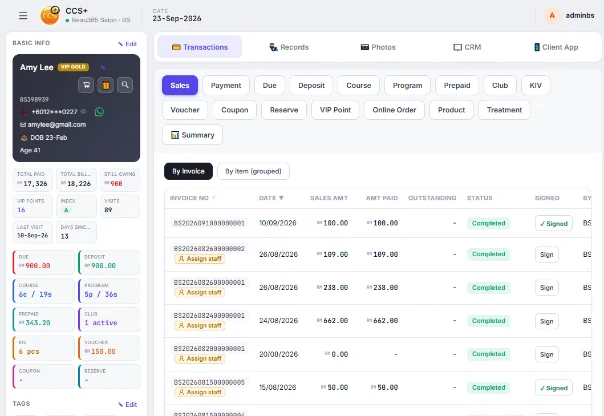
Getting one new customer costs ad money, trial discounts and staff time. If she comes once and disappears, all of that is wasted. In many salons, follow-up calls happen "when staff are free", which means nobody calls.
What makes follow-up work isn't a script. It's having a clear list in your hands. Here are three steps, starting with customer records.
1. Build a complete profile on the first visit
Beyond name and phone number, record at least: which treatment she had, her skin or hair condition, any sensitivities, and when she should come back next. These details are your opening line when you call her.
"It's about time for the second session of the hydrating facial we did last time" works much better than "We have a promotion now."
2. Use tags to group customers, no more flipping through notebooks
Tag your customers: "New customer", "Not back in 30 days", "Package almost used up", "Birthday month". When you run a promotion, pick customers by tag, so messages only go to the people who need them and nobody feels spammed.
3. Push the follow-up list to staff phones
A list only works if someone acts on it. Each day, assign customers due for follow-up to the staff responsible and push the list straight to their phones. They tick each one off when done. The owner can see who has followed up and who hasn't.
Follow-up isn't a one-off campaign. It's a small task done every single day.
Summary
- Every profile should hold a "reason to come back next time"
- Tags let the list build itself
- Every list needs a named staff member responsible for it
CCS Plus customer profiles, tags and the Staff App follow-up list are built around exactly these three steps. Book a Demo and we'll show you how it works.