 CCS Plus Consulting Team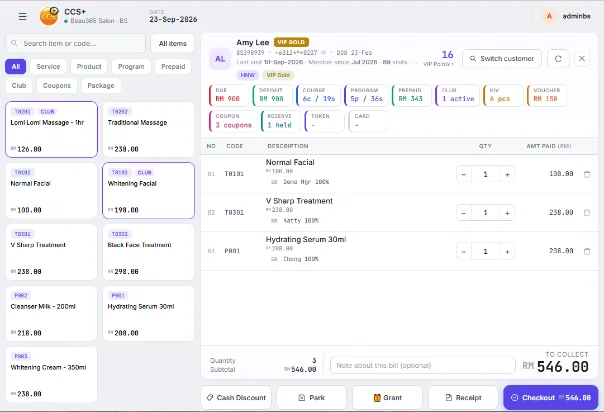
Letting customers pay part of a package upfront is very common in salons. Collect RM300 on an RM1,000 package and customers say yes more easily, and the sale is recorded right away. The trouble comes later: the balance is written in a notebook or kept in a staff member's head, and at month-end you find several balances have been outstanding for three months.
Balances usually go unpaid not because customers refuse to pay, but because the salon has no place that keeps them "in plain sight". These four practices are what we most often ask salon owners to start with when we coach in their outlets.
1. Every bill shows "paid" and "unpaid" clearly
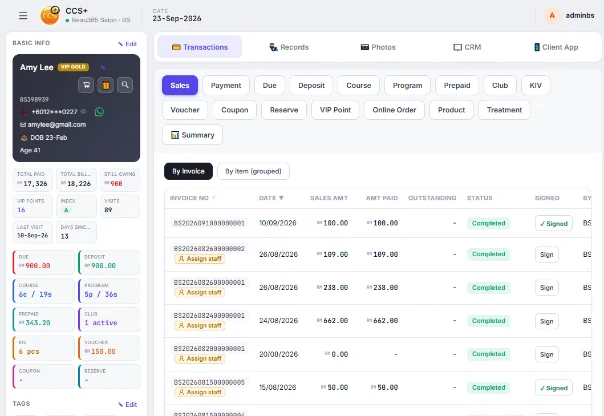
Settle the numbers the moment you issue the bill. It should show the total, the amount collected this time and the balance owed, and the customer signs it. Every later payment is recorded under the same bill, never on a new one.
The benefit: any staff member who opens the bill can answer "how much do I still owe?" within ten seconds.
2. Keep balances in the customer profile, not in staff memory
The biggest risk is a balance that leaves with a staff member. When the therapist in charge quits, nobody remembers that money. Keep the balance in the customer's profile, so when she sits down, the front desk sees it immediately and can mention it naturally.
An outstanding balance isn't a staff member's private matter. It's the company's receivable, and the record belongs in the company's system.
3. Set a limit: block usage beyond what's been paid
The situation most likely to get out of hand: a customer has paid RM300 but already received RM600 worth of treatments. Set a rule for every package: the value used can't exceed the amount paid, and she must top up before more sessions are deducted.
In CCS Plus, the system enforces this rule and blocks usage beyond the balance, so staff don't have to "ask for money" face to face. The system does the talking.
4. Check the daily report every night, so no balance goes unnoticed
After closing, spend two minutes on today's sales and actual collection. The difference between the two is the new outstanding balance created today. Check it daily and you won't get a shock at month-end.
Summary: start with these three things
- List every customer with an outstanding balance and confirm the amounts
- Set a rule for each package: how much is paid upfront, and at what point a top-up is required
- Assign one person to follow up the outstanding list every week
Want to see how the system tracks instalments and balances automatically? Book a 30-minute Demo and we'll show you using your own packages.